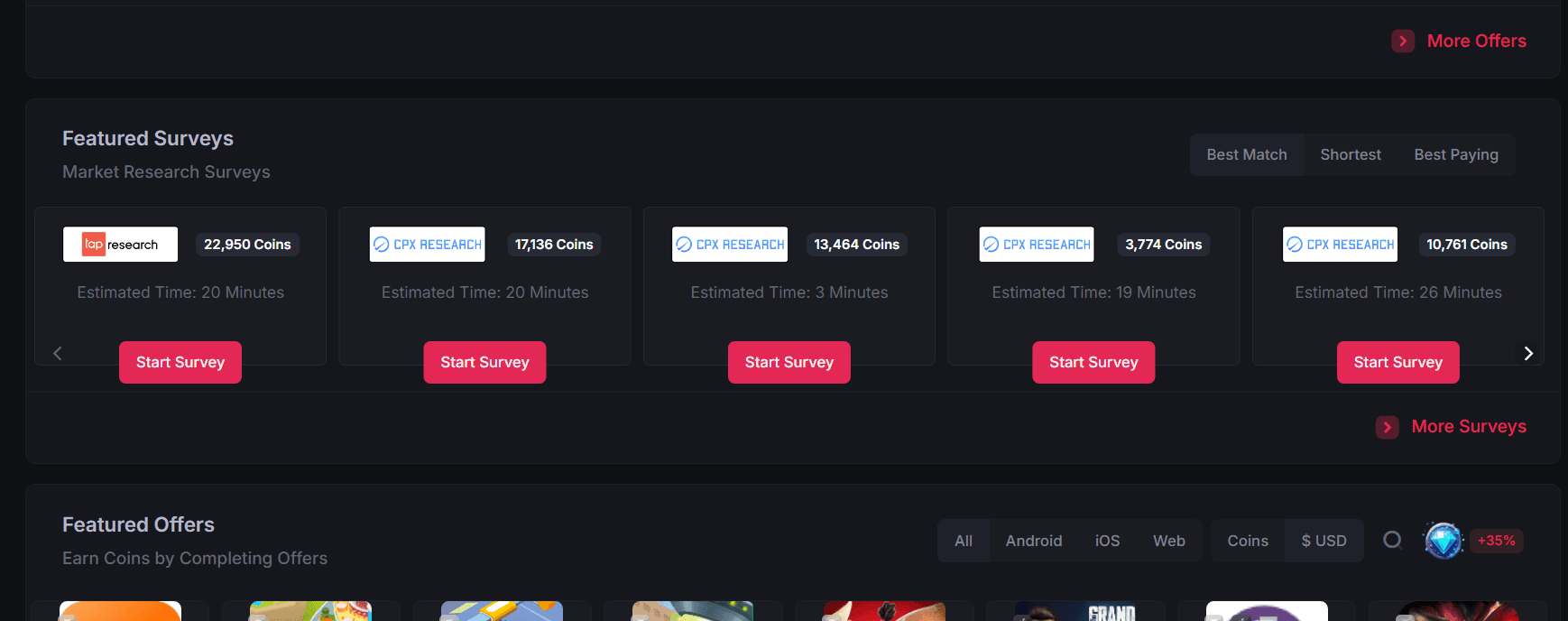
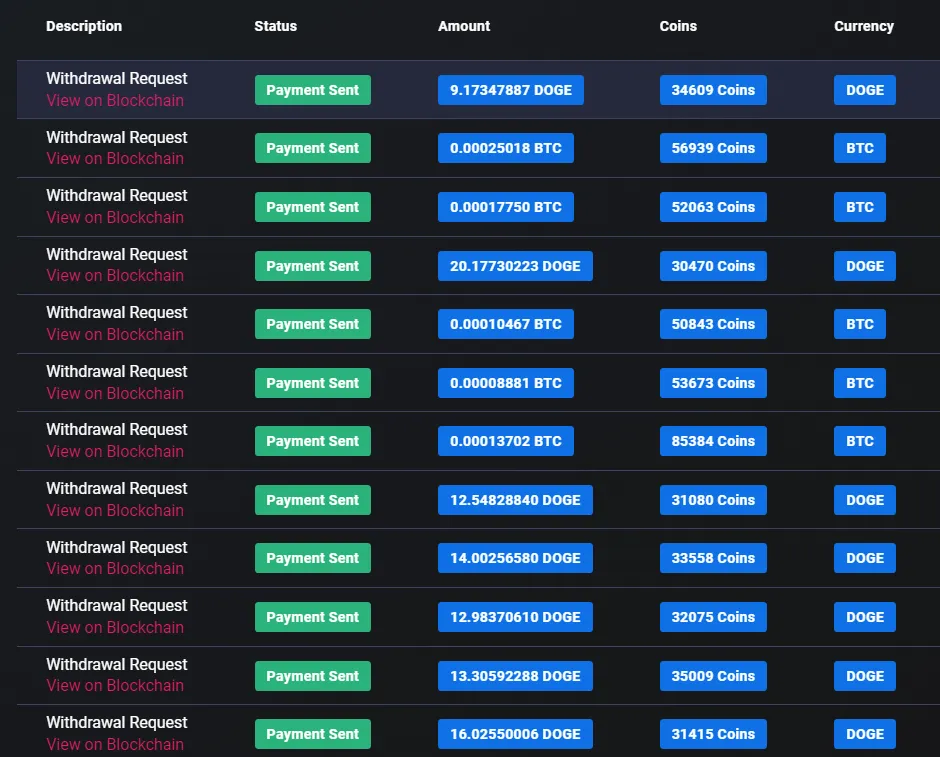
Surveys and offerwalls can produce some of the most substantial individual task rewards on Cointiply. They require more time and attention than simple PTC ads, but they also give users more ways to earn Coins through surveys, apps, games, registrations, trials, and other online tasks.
I have personally earned through Cointiply, and this guide shows how to find, complete, track, and troubleshoot its third-party surveys and offers without wasting time on requirements that do not fit.
Check available Cointiply surveys and offers
Cointiply surveys and offerwalls at a glance
| Item | Current details |
|---|---|
| Task types | Surveys, polls, apps, games, registrations, trials, videos, and website interactions |
| Providers | Third-party partners such as BitLabs, CPX Research, TheoremReach, AdGate Media, and others |
| Reward currency | Cointiply Coins, with 10,000 Coins equal to $1 |
| Availability | Varies by country, device, demographics, advertiser demand, and current campaigns |
| Qualification | Determined by each advertiser or provider |
| Credit timing | Some tasks credit quickly; others can require 24 to 72 hours for verification |
| Missing-credit support | Usually the offerwall where the task was started |
| Main advantage | Potentially larger individual task rewards than simple PTC viewing |
| Main limitation | More eligibility rules, tracking requirements, and third-party dependencies |
How Cointiply offerwalls work
An offerwall is a third-party partner platform embedded in or linked through Cointiply. It supplies advertiser-funded tasks and handles much of the tracking behind them.
The usual credit flow is:
- You open an offerwall through Cointiply and choose a task.
- The provider tracks the required action.
- The advertiser or provider verifies whether the conditions were completed.
- The offerwall sends a completion postback to Cointiply.
- Cointiply credits Coins after the partner reports the completion.
This distinction matters when credit is missing. Cointiply does not independently watch every action inside an app, game, survey, or third-party service. It generally depends on the offerwall's tracking and completion report.
Which providers does Cointiply use?
Cointiply currently works with providers including BitLabs, CPX Research, TheoremReach, AdGate Media, AdGem, inBrain Surveys, YourSurveys, Pollfish, and TapResearch.
The range of providers gives you several places to look for a suitable task. Country, device, demographic profile, advertiser demand, and active campaigns determine which opportunities appear.
If one offerwall has little inventory, check several others before deciding that Cointiply has no tasks available for your account.
How to complete Cointiply surveys successfully
Survey providers screen participants for particular audiences. Accurate and consistent information gives the provider a reliable profile to compare with each study's eligibility rules.
- Keep demographic information accurate and consistent.
- Read every question instead of rushing through the survey.
- Answer based on your real circumstances rather than what seems most likely to qualify.
- Follow attention checks and any instructions shown by the provider.
- Do not use copied or prewritten screening responses.
- Do not change age, location, household details, or identity information to reach a survey.
These habits keep your profile useful to providers and reduce avoidable verification problems.
Why surveys disqualify users
A user's demographics may not match the study, its quota may be full, or the campaign may have closed. Providers can also reject inconsistent, unusually fast, or low-quality responses.
Choose from the surveys offered to your own profile and move on to another suitable opportunity if you are screened out.
Offerwalls beyond surveys
Offerwalls can include apps, game milestones, registrations, trials, videos, website visits, and other advertiser-funded tasks. They often have more conditions than surveys.
Read all requirements first. A task might require a first-time installation, a game milestone, account verification, a trial, or maintaining an account for a stated period. The live offer controls.
Some offers are device-specific. Use the supported device stated by the offer rather than switching devices during a tracked task.
Practical offer-tracking habits
A few careful habits help tasks track correctly and make any support request easier to document:
- Start the offer from inside Cointiply and the relevant offerwall.
- Read and capture the requirements before beginning.
- Avoid changing browser or device during a tracked task.
- Do not clear cookies while completing a browser-based offer.
- Disable an ad blocker only for the relevant provider or page if it prevents loading or tracking.
- Keep evidence when you reach the required completion point.
- Allow the stated or reasonable verification period before opening a support request.
Do not use a VPN or proxy to try to access offers from another country. Cointiply warns that VPNs and proxies can interfere with tracking and crediting, and they may also conflict with provider rules.
Why an offer may not credit
Current documented causes of missing credit include:
- The offer expired or the advertiser's budget ran out.
- A VPN or proxy interfered with location or tracking.
- An ad blocker prevented part of the offer from loading or reporting.
- One or more required steps were incomplete.
- Submitted information was incorrect or inconsistent.
- The task was completed unusually quickly and triggered review.
- A tracking or postback error occurred.
- The offer had already been completed and did not allow repeat credit.
Higher-value offers may need advertiser verification or manual review. Allow the documented waiting period, then follow the support steps below if credit is still missing.
What to do when Coins are missing
If an offer appears complete but no Coins are shown:
- Wait 24 to 72 hours, because some offers require verification or manual review.
- Recheck the original requirements and confirm every step was completed.
- Look in Cointiply's Activity or Payments area for a credit, pending item, or reversal.
- Gather evidence showing the task and completion point.
- Open the same offerwall where you started the task and use its support or offer-history process.
Evidence can include a completion screenshot, confirmation email, timestamp, account reference, or game screen showing the milestone. Share it privately with the proper support team, not publicly.
Use the offer's own stated timing if it specifies a longer verification period.
Who handles a missing-credit dispute?
| Issue | Usually handled by |
|---|---|
| Offer eligibility | Provider or advertiser |
| Survey qualification | Survey provider |
| Missing third-party offer credit | The offerwall's support team |
| Cointiply account or payment issue | Cointiply support |
For most third-party tasks, the offerwall is the first support contact. Cointiply can generally see when an offer started and whether the partner sent a completion or reversal postback, but not everything inside the task.
YourSurveys Direct is a current exception that can require contacting Cointiply support with completion evidence. Follow the support instructions attached to the specific offer rather than assuming every YourSurveys placement uses the same route.
Offers and surveys in different countries
Advertisers choose eligible countries and demographics. Inventory changes as campaigns open, fill, or close, and one offerwall may have tasks when another has none.
Check multiple providers and keep profile details accurate. Never use a VPN or proxy as a geographic workaround.
How much can surveys and offerwalls pay?
Surveys and offerwalls can pay more per completed activity than simple PTC viewing. Compare each listing's Coin reward, time, eligibility, and tracking requirements to choose a suitable task.
Remember that 10,000 Cointiply Coins = $1. That conversion makes it easy to compare displayed rewards with the effort involved.
Surveys, offerwalls, and PTC compared
| Method | Typical experience | Primary limitation |
|---|---|---|
| PTC | Simple ad view with a timer and CAPTCHA | Inventory and reward depend on advertisers |
| Surveys | Questionnaire with demographic screening | Qualification and quotas vary by provider |
| Offerwalls | Broad tasks including apps, games, trials, and registrations | More conditions and third-party tracking |
For the simpler ad-view process, see my Cointiply PTC guide.
Full Cointiply review
Read my full Cointiply review for the wider explanation of Coins, missions, bonuses, optional annual interest, withdrawals, and the overall platform experience.
Final verdict
Cointiply surveys and offerwalls are among the first sections worth checking if you want larger individual task rewards than PTC usually provides. The tradeoff is more screening, tracking, and provider involvement. Read each offer carefully, keep completion evidence, and focus on tasks whose time and reward make sense for you.
Start earning with Cointiply surveys and offers
Disclosure: Provider availability, task requirements, rewards, and credit timing can change. Some registration links on this site may be referral links, which can support this website at no additional cost to you.