
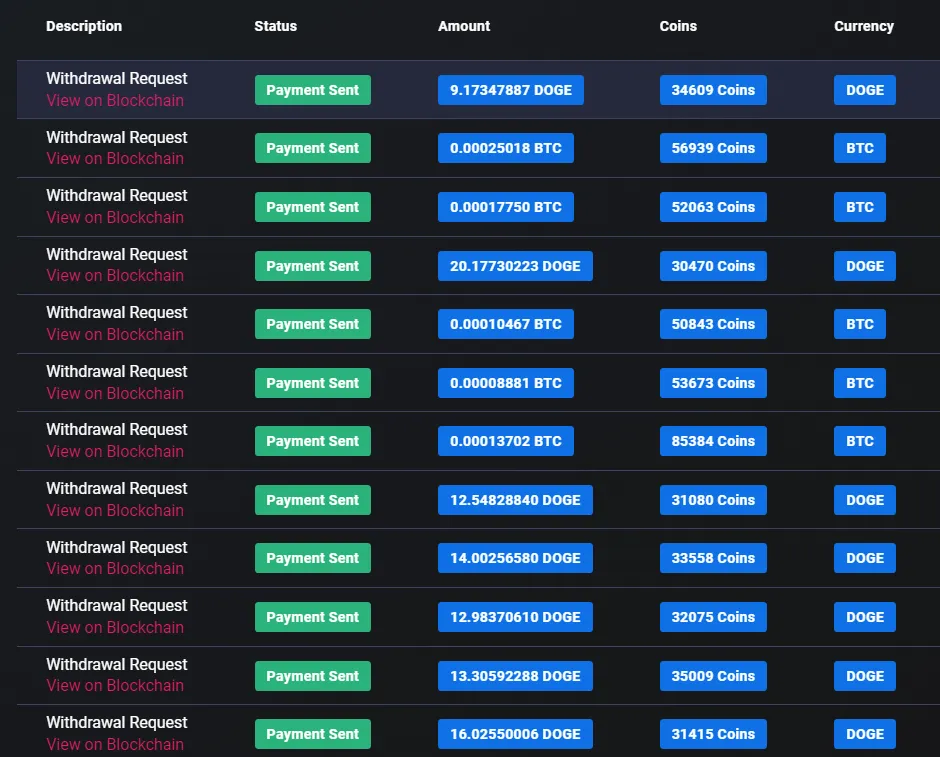
Cointiply Chat Rain is basically a bonus pool layered on top of normal earning activity. Qualify once, complete an eligible task, and you can receive extra Coins automatically when a Rain event occurs. To qualify, open Chat, select Qualify for Rain Pool, and complete at least one eligible earning activity that day.
Rain adds an extra reward alongside normal Cointiply activities. Events occur when the pool reaches its target, and sending more chat messages does not increase a user's share.
Qualify for Cointiply Chat Rain
Chat Rain at a glance
| Item | How it works |
|---|---|
| Reward | Bonus Cointiply Coins |
| Where it happens | Cointiply Chat |
| Qualification | Select Qualify for Rain Pool and complete a qualifying earning activity that day |
| Examples of qualifying activity | Offer, PTC ad, or survey |
| Rain timing | Triggered when the pool reaches a hidden target |
| Distribution | Automatic to qualified users at that moment |
| Share | Higher user levels currently receive a larger slice |
| Chat messages increase share? | No |
| Pool contributions increase share? | No |
These mechanics reflect Cointiply's current Chat Rain documentation checked in August 2026. Feature rules can change, so the live qualification indicator and platform guidance take priority.
What is the Cointiply Rain Pool?
The Rain Pool holds Coins that will be shared during the next Rain event. Cointiply says it adds a portion of site earnings to the pool. Users can also contribute their own Coins voluntarily through a chat command.
The pool grows until it reaches a target that Cointiply does not publish. At that point, it rains, and everyone qualified receives bonus Coins automatically. The feature is not an investment or an hourly faucet.
How to qualify for Cointiply Chat Rain
Cointiply's current instructions describe a short daily process:
- Open Cointiply Chat.
- Click or tap
Qualify for Rain Poolat the top of Chat. - Complete at least one offer, PTC ad, or survey that day.
- Check that the Rain indicator has turned green, showing successful qualification.
- Be qualified when a Rain event occurs to receive a share automatically.
Complete an offer, PTC ad, or survey to qualify. Opening Chat or posting a message alone does not meet that requirement.
Do you need to chat to qualify?
No. Chat is where the Rain feature and qualification control appear, but Cointiply's dedicated documentation says chatting does not increase your Rain share. Repeated messages, hourly check-ins, or requests for Rain do not produce a larger allocation.
You can use Chat naturally if you enjoy the community, but messages should not be treated as a Rain strategy. The current process is based on selecting the qualification option and completing one of the documented earning activities that day.
When does Cointiply Rain happen?
Rain events occur when the pool reaches Cointiply's hidden target rather than on a fixed public hourly schedule. Cointiply adds part of site earnings to the pool, and voluntary user contributions can also add Coins. When the target is met, qualified users receive their shares automatically.
There is no reliable public countdown, top-of-the-hour rule, or documented number of events per day. Qualification status when an event occurs is what matters.
What affects your Rain share?
Cointiply's current dedicated Chat Rain guide identifies user level as the share factor: higher user levels receive a larger slice. The amount varies by distribution; check Activity to see your credited Coins.
What does not increase your Rain share?
Cointiply explicitly says these actions do not make your share larger:
- Chatting more often.
- Spamming or posting
rain rain rain. - Donating Coins to the Rain Pool.
A contribution adds Coins to the community pool but does not improve the contributor's allocation. Posting constantly, tipping users, or maintaining a particular balance are not documented share factors.
How to contribute Coins to the Rain Pool
Contributing is optional. To add Coins, type the following command in Cointiply Chat:
/rain 100
Replace 100 with the number of Coins you genuinely want to contribute. Cointiply then asks for confirmation. After confirmation, those Coins are deducted from your balance, and the contribution appears in Chat with your username.
Treat this as a voluntary community contribution, not an investment. Cointiply says donating does not increase your Rain share, so there is no reason to contribute with the expectation of earning more back.
Where can you see Cointiply Rain rewards?
After Rain Coins are credited, Cointiply says they appear in the account's Activity area. There is no separate Rain wallet. Checking Activity is the direct way to confirm that a Rain reward was added to the normal Cointiply Coin balance.
Chat Rain and Cointiply Missions
Cointiply's Feature Mission documentation includes Qualify for Chat Rain as a possible Mission. When available, it uses the same qualification steps, and Feature Mission progress is documented as automatically tracked.
When a Chat Rain Mission is active, qualifying can also advance that separate bonus goal. Follow the requirement and reward shown on your Missions screen.
Follow the Cointiply Chat rules
If you use Chat while checking Rain, engage naturally and follow the moderators' rules. Cointiply prohibits spam and advertising, asks users to keep discussion respectful, and specifically notes that low-effort Rain spam does not help.
Posting rain rain rain, trying to evade filters, or attempting to game the feature will not improve your share. You can qualify without filling Chat with repetitive messages.
How Chat Rain fits into Cointiply
Chat Rain complements Cointiply's ordinary earning options. An eligible offer, PTC ad, or survey can add Coins to your balance while also completing that day's Rain qualification. The relationship is simple: use a supported earning activity, become qualified, and receive an automatic bonus if the pool rains while you remain eligible.
There is no need to chase Rain with constant chat activity. Qualify normally, continue using the earning methods that suit you, and treat Rain as an additional bonus when it occurs.
For the full platform, including surveys, offerwalls, PTC ads, Coins, withdrawals, and other rewards, read my complete Cointiply review.
Can you increase how much you get from Rain?
The current legitimate route is to progress through Cointiply's user levels, because the dedicated Rain guide says higher levels receive a larger share. Cointiply does not provide a current formula that would support exact projections.
Extra messages, donations, tips, multiple tabs, scripts, and hidden routines are not supported ways to increase a Rain allocation. Qualify through a documented activity and let the automatic system work.
I have personally earned through Cointiply, and features such as Chat Rain make normal activity more rewarding without adding a complicated routine. If an automatic bonus on top of eligible tasks appeals to you, try Cointiply and qualify for Chat Rain.
Affiliate disclosure: Some links on this page may be referral links. If you register through one, this site may receive a benefit at no additional cost to you. Cointiply features and qualification rules can change, so check the current Rain Pool information on the platform.