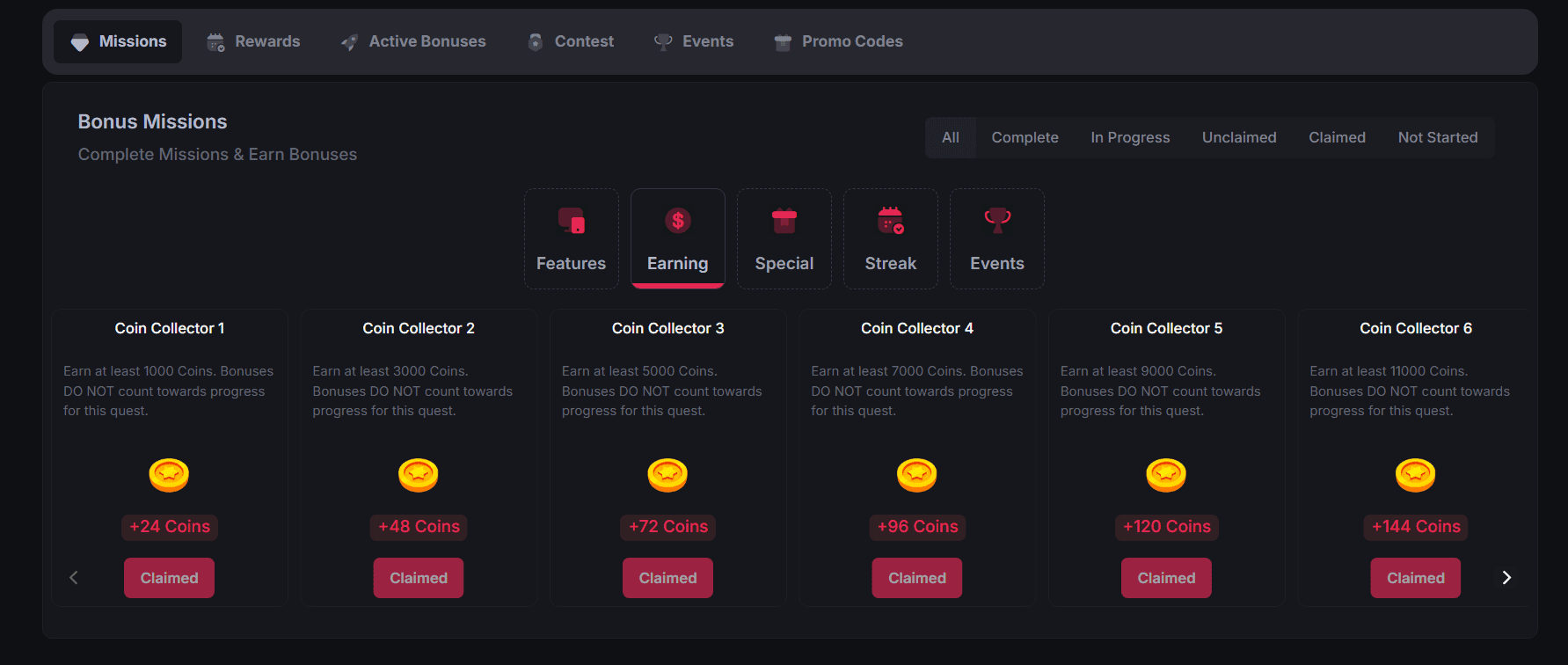
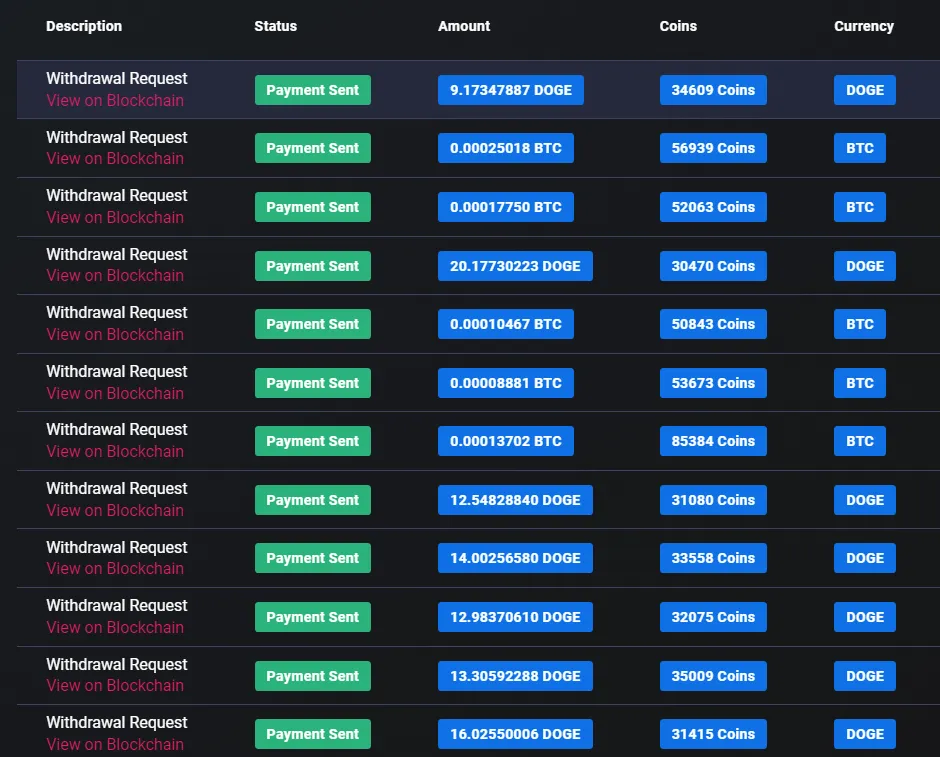
Cointiply Missions are one of the easiest ways to squeeze extra Coins out of normal platform activity. Compatible surveys, offers, PTC views, and feature actions can advance Mission progress automatically while still providing their usual reward.
Once a requirement is met, a Claim button appears, the bonus can be collected, and the next Mission in that category may unlock.
Missions are not a separate earning method. They reward compatible activity across several goal categories.
I've personally used Cointiply and earned through the platform, and Missions are a feature I like because they add another reward layer to activities that already form part of normal use.
Cointiply Missions at a glance
| Mission type | Main purpose |
|---|---|
| Feature | Learn and use Cointiply features |
| Earning | Reach Coin earning targets |
| Special | Complete specific offers, surveys, or promotional goals |
| Streak | Complete actions across consecutive days |
| Event | Participate in time-limited promotional events |
On desktop, Missions are located under Earn → Bonus Missions & Events. On mobile, the current path is Earn → Missions.
What are Cointiply Missions?
Missions are goals built around Cointiply's existing features and earning activities. The platform tracks qualifying progress automatically, so users do not need to submit a separate record of every task. When a Mission is complete, claiming it adds the stated bonus Coins immediately and creates an entry in account Activity.
Completing a Mission can unlock the next goal in the same category. Cointiply also allows progress in several Mission categories at once. The overall flow is straightforward:
complete normal activity → progress updates → meet the goal → claim bonus Coins → unlock another Mission
Some Missions include a skip option. Cointiply says skipping forfeits that Mission's reward and unlocks the next one, while not every Mission can be skipped. Read the active requirement before choosing that option.
Feature Missions
Feature Missions introduce users to core parts of Cointiply. They are generally quick, often sequential, and automatically tracked. Current official examples include:
- Collecting Daily Free Coins.
- Completing a valid PTC ad view.
- Redeeming a current Promo Code.
- Qualifying for Chat Rain.
Each example follows the actual feature process. A PTC view needs to run through its timer and verification, while a valid Promo Code must be redeemed through the platform. Chat Rain qualification currently requires opening Chat, selecting Qualify for Rain Pool, and completing an offer, PTC ad, or survey that day.
For the full qualification mechanic behind the last example, see my Cointiply Chat Rain guide.
Earning Missions
Earning Missions set Coin targets and reward users for reaching them through eligible activity. Progress fills automatically as qualifying Coins are earned. Once the target is reached, the Claim button appears, and claiming unlocks the next Earning Mission.
Cointiply currently lists these examples of eligible activity:
- Offers and app installs completed through Offerwalls.
- Completed surveys.
- Valid PTC ad views.
- Other standard earning activities on Cointiply.
Manual or promotional bonus Coins, promo codes, deposits, balance adjustments, and purchases do not count toward Earning Mission progress under the current rules. The target shown in the live Mission is the one to follow because Cointiply does not state that every account receives the same fixed sequence.
How cascading progress works
Cascading progress lets eligible overflow begin filling the next Earning Mission when applicable. Cointiply's official example works like this:
- The current Mission requires 1,000 Coins.
- The user earns 1,500 eligible Coins.
- The first 1,000 Coins complete the current goal.
- The remaining 500 Coins begin progress toward the next applicable Mission.
This lets qualifying earnings above the current target contribute toward the next applicable goal. Cascading follows each active Mission's category and eligible Coin sources.
Multiple Missions can progress together
Cointiply allows users to work across multiple Mission categories at the same time. A completed survey might count toward an Earning Mission and also advance a Streak or Special Mission when its specific requirement matches that survey.
This is where Missions provide the most natural value. Users can choose activities they already want to complete, while the system tracks any compatible goals in the background. There is no need to build an artificial routine around every available Mission.
Special Missions
Special Missions focus on a particular partner, task type, promotional goal, or requirement. They may involve one task, several completions, or a minimum Coin value. Progress updates automatically when the qualifying work is completed through a participating provider.
Current official documentation gives examples such as:
- Complete one offer or survey worth at least a stated Coin amount.
- Complete a specified number of surveys.
- Complete offers through several different Offerwall or survey partners.
Special Missions add goals as your account meets level or unlock conditions, or when a promotion is running. Choose from those active in your account.
Streak Missions
Streak Missions reward a specified action completed across consecutive days. Current examples include claiming Daily Free Coins, completing an offer, or taking a survey each day. Progress increases as the stated daily action is completed for the required sequence, and the reward can be claimed after the full requirement is met.
These are category-specific Missions and should not be confused with Cointiply's separate Daily Streak reward system. Always follow the action and number of days shown on the active Streak Mission.
Event Missions
Event Missions appear from time to time during Cointiply promotions or community events. They can introduce event-specific goals, bonus activities, and limited-time rewards connected to the current theme.
Check Bonus Missions & Events for active promotions and claim eligible event rewards within their available period.
Bonus Bingo as an event example
Bonus Bingo is one documented limited-time event format. During an active version, users can earn cards through qualifying activity, reveal numbers, and complete specified patterns for bonus Coins.
How to claim Mission rewards
The current process requires only a few steps:
- Complete the Mission requirement.
- Let Cointiply update the tracked progress automatically.
- Wait for the
Claimbutton to appear on the completed Mission. - Tap or click
Claim. - The bonus Coins are added immediately and recorded in account Activity or History.
- Check for the next Mission unlocked in that category.
Claims are not described as automatic. Progress is tracked automatically, but the user still needs to select Claim after meeting the goal.
A practical way to use Missions
Missions work best as a bonus layer around activities that already fit the user:
- Open Bonus Missions & Events on desktop or Missions on mobile.
- Review the active goals and their exact requirements.
- Choose Missions that match the earning methods or features you plan to use.
- Complete normal Cointiply activities and let progress update.
- Claim completed Missions.
- Review newly unlocked goals and continue with the ones that suit you.
This approach can generate extra Coins without a rigid routine.
Why Cointiply Missions are useful
Missions bring several useful mechanics together. Automatic tracking reduces manual work, multiple categories encourage users to explore different features, sequential goals provide progression, and cascading Earning-Mission progress can preserve eligible overflow. Event and Special Missions add variety when they are available.
Most importantly, the bonus sits on top of compatible activity. A survey, Offerwall task, PTC view, or feature action can provide its normal result while also advancing an active Mission. The exact opportunities depend on the current goals shown in the account.
For a complete look at Cointiply's earning methods, Coins, rewards, and cryptocurrency withdrawals, read my full Cointiply review.
I have earned through Cointiply myself, and Missions give active users a simple reason to check which normal tasks can produce an extra reward. Start earning on Cointiply and inspect the current goals under Bonus Missions & Events.
Affiliate disclosure: Some links on this page may be referral links. If you register through one, this site may receive a referral benefit at no additional cost to you. Cointiply Mission types, requirements, and event availability can change, so check the current Bonus Missions & Events section for the latest active goals.