AdBTC Auto Surf rotates eligible advertisements with less manual switching than ordinary PTC. I have used AdBTC and earned Bitcoin from it; Auto Surf is an option to check when you want a lower-effort browser session alongside the manual tasks.
Use the current session instructions to confirm the reward currency, requirements and available campaigns. Auto Surf still needs the required browser session to remain active.
Why Choose Auto Surf?
- Less manual switching: Eligible advertisements rotate during the active session.
- Visible account progress: Check the session and balance to confirm which views received credit.
- Another activity to compare: Manual Surf and PTC remain useful when their live rewards and requirements fit your time better.
How to Activate Auto Surf
- Log In: Visit AdBTC and sign in to your account.
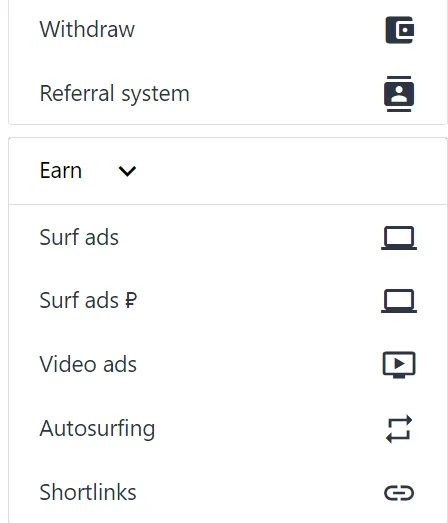
- Open Auto Surf: Find the currently available Auto Surf option in the dashboard.
- Review the requirements: Check the currency, campaign rewards, timer and any browser instructions shown.
- Start and check credit: Let the eligible rotation run, then confirm credited rewards in the account before extending the session.
Tip: Keep the required session open and follow any focus or verification instructions shown. Closing the session ends that browser-based routine.
How to compare Auto Surf rewards
Compare each campaign's displayed reward with its required time and currency. This lets you choose the available session that best fits your routine. Campaign inventory varies with advertiser activity.
Use the account data screen to follow credited activity and see what the session added to your balance.
Keep the session useful
- Check availability: Review the queue after a batch ends to find your next available advertisements.
- Compare manual tasks: Choose the option with requirements and rewards that best fit the current session.
- Confirm credit: If the connection or session stops, check the balance before continuing.
From ad rewards to withdrawal
- Microwallet Friendly: Withdraw straight to FaucetPay or send BTC to your main wallet once you reach the minimum.
- My experience: AdBTC paid me after I earned Bitcoin through the platform. The full AdBTC review covers my payment experience and the current payout routes.
Final Verdict
AdBTC Auto Surf is the lower-effort option when you want eligible ads to rotate without opening each one manually. Keep the tab running, check that the session remains active and combine it with manual ads when you want a more involved PTC routine.
Disclosure: Registration links on this page are referral links. Auto Surf availability, currency and rewards depend on the current campaigns and account instructions; results vary.
Compare AdBTC with other options in my best PTC sites guide, or read the full AdBTC review for current withdrawal details.